Import or start blank
Upload arrival and departure CSVs or create an airport-specific group before a complete manifest is available.

Waypoint product
Waypoint is the operating layer between a passenger travel list and the team moving people through the airport.
Build the program, keep flight context current, coordinate the field, and plan transportation in one connected workflow.
1. Build the manifest
Start with the information you have, then give attendees simple ways to provide the arrival and departure details still missing.
Upload arrival and departure CSVs or create an airport-specific group before a complete manifest is available.
Send private attendee requests in bulk or share a reusable group link through registration communications or a QR code.
Add, edit, or remove passenger records and correct flight details as plans come together.
2. Enrich with flight intelligence
Waypoint matches manifest flights with current flight information and keeps useful scheduled, revised, estimated, and status details in view as the travel day changes.
That context matters because a delay is not just a flight event—it can affect passengers, VIPs, greeter handoffs, and transportation timing.
Illustrative example
3. Analyze and plan transportation
Review passenger arrival patterns by time, airline, and origin to identify peak windows and support greeter and pickup coverage.
Use passenger manifests and flight timing to help plan return-to-airport waves, vehicle capacity, and transportation coverage.
Waypoint gives experienced operators better context for transportation decisions; it does not replace on-the-ground judgment.
4. Operate live
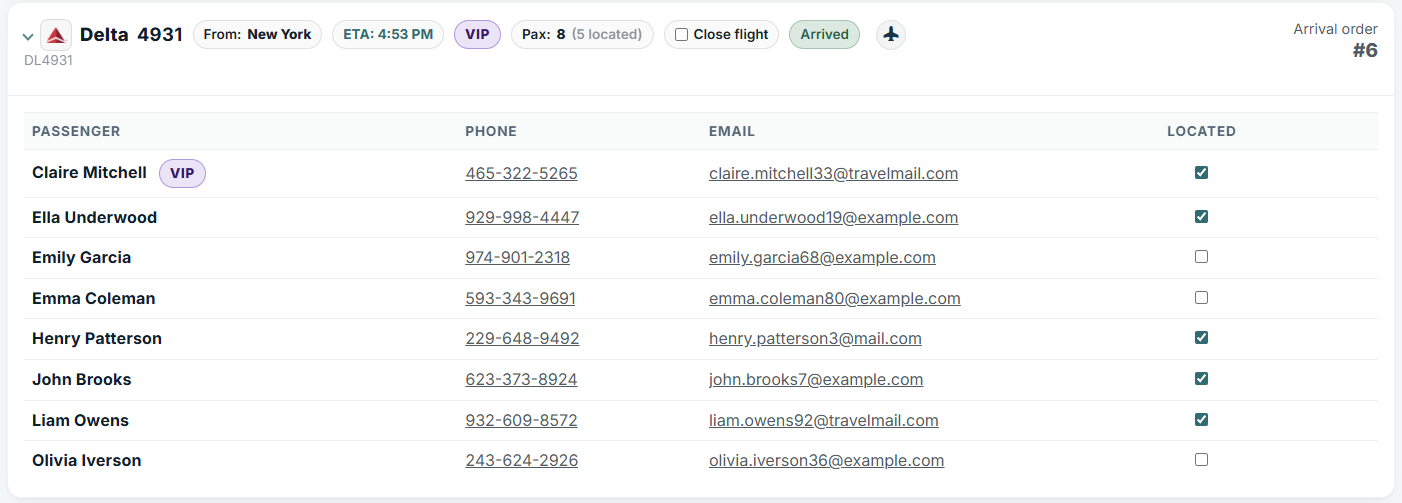
Live arrivals and departures boards bring current operational flight timing, passenger status, VIP visibility, and team context into the same working view.
5. Coordinate the field
Limit field access to the relevant group and operational board.
Share access codes and QR-friendly login for greeters and other field users who do not need a full account.
Passenger status and operational notes stay synchronized across office and field devices.
6. Manage multiple programs
Each group keeps its own arrival and departure manifests, airport settings, branding, notes, and field access—while the organization can manage multiple active programs in one place.
From travel-data collection to the final airport transfer, Waypoint keeps the program’s moving parts connected.
Request a Demo